
🛒 Shopping Lists Guide
Plan your shopping and convert lists directly to transactions. Perfect for grocery budgeting and purchase planning.
What are Shopping Lists?
Shopping lists help you plan purchases before you shop. Create a list, add items with estimated prices, then convert to a transaction after shopping.
Benefits:
- Plan purchases and estimate costs
- Stay within budget while shopping
- Convert to transaction with one click
- Track what you actually bought
- Share lists with family members
Creating a Shopping List
- Go to Tools → Shopping list
- Click "New shopping list"
- Enter the name of the shopping list (e.g., "Weekly shop")
- Add items with a quantity, a unit and an estimated price
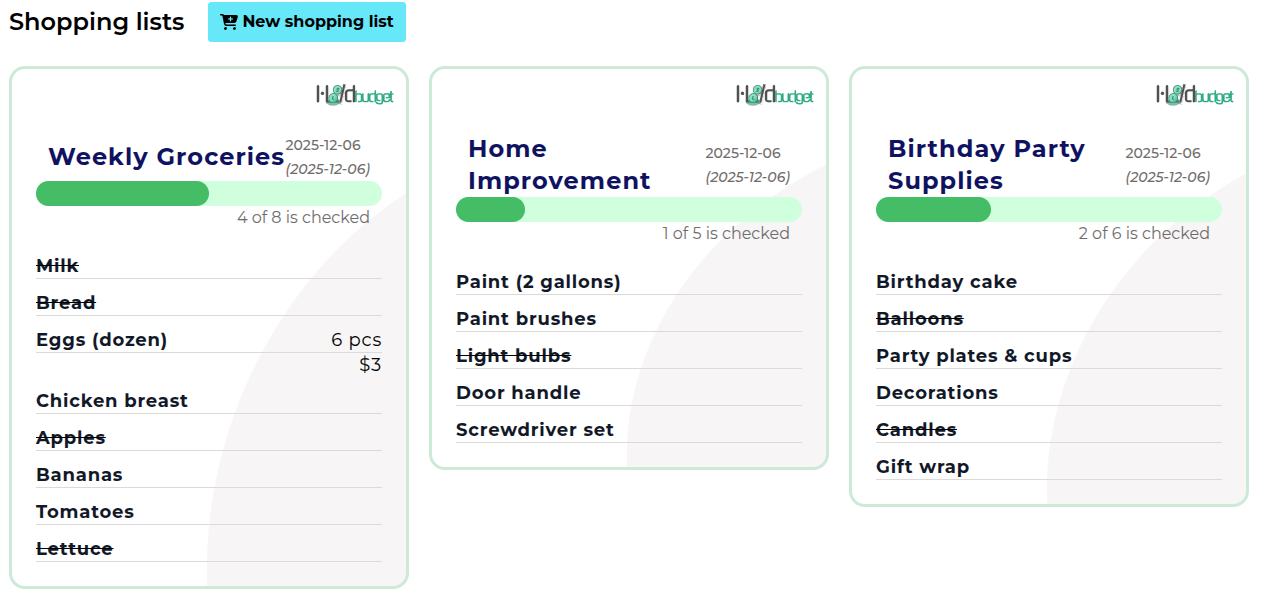
- The card shows the running total and how many items are checked off
- Tick items as you put them in the trolley
Converting to Transaction
After shopping, convert your list to a transaction:
- Open your shopping list
- Update prices with actual amounts
- Remove items you didn't buy
- Click "Convert to Transaction"
- Choose group (e.g., "Groceries")
- Transaction created with all items
💡 Tip: Use shopping lists to compare estimated vs actual spending and improve future budgets.
Sharing Shopping Lists
Shopping lists are shared on their own, separately from virtual cards - so you can share the weekly shop without sharing your budget.
- Open the list and find the "Share now" section
- Enter the email of the person you want to share it with
- They appear under "Shared with", and can be removed again from there
- Everyone the list is shared with can add items and tick them off
Start Planning Your Shopping
Create your first shopping list and stay within budget.
Create Shopping ListNext Guide:
Reports & Analytics Guide